MyImgur

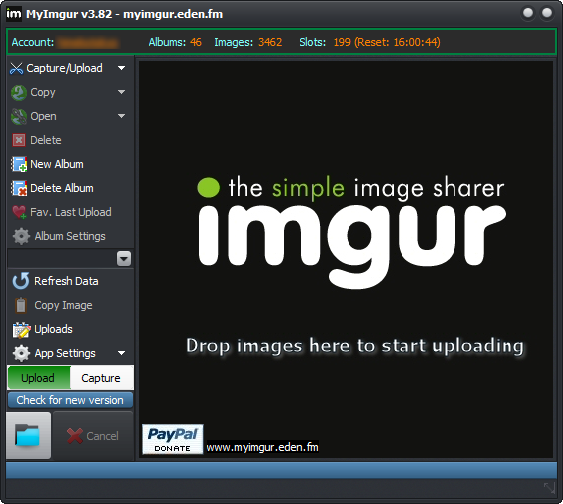
MyImgur is a fast, lightweight capture and uploader tool for Windows. Capture an area of your screen or a specific window with a single click and send it directly to Imgur, or drag and drop multiple files for automatic batch uploading. It is also the only desktop application with full Imgur account integration.

  • Full Imgur account support: upload to a selected album, create/delete albums, delete all pictures from an album, favorite the last upload, and more
  • Formats supported: JPG, BMP, PNG, GIF, WebP, DDS, MP4, and more.
  • Context-menu shell extension: right-click any picture and select Send to Imgur
  • Batch uploads: drag and drop multiple pictures and they are automatically queued
  • Smart settings: automatically adjust picture quality or size for faster uploads
  • Crop live areas of the screen
  • High-quality PNG captures
  • Capture DirectX surfaces
  • Select specific windows to capture through Aero Thumbnails
  • Paste images directly from the clipboard
  • Hotkey support for all features
  • Upload log: keep a record of all uploads, including their online delete URLs
  • Multiple capture modes: capture and store to disk, upload only, capture + upload, or capture to clipboard
  • Copy the last image to the clipboard
  • Native Win32 code: does not require the .NET Framework
  • Portable version available

API limits: 50 uploads per hour

Disclaimer: The Imgur logo and “IMGUR” are trademarks of Imgur LLC and are used here for informational purposes only. MyImgur is an independent, unofficial application and is not affiliated with, endorsed by, sponsored by, or officially approved by Imgur.

↑